Read, listen and study, with AI that answers from your own books
One calm place for every book and document you own. Natural-voice read aloud on your PC, notebooks that answer with citations, and study tools that turn reading into revision. Your books never leave your computer.
Download free for Windows See plans
60 days with every featureNo accountYour own AI key or a free local model
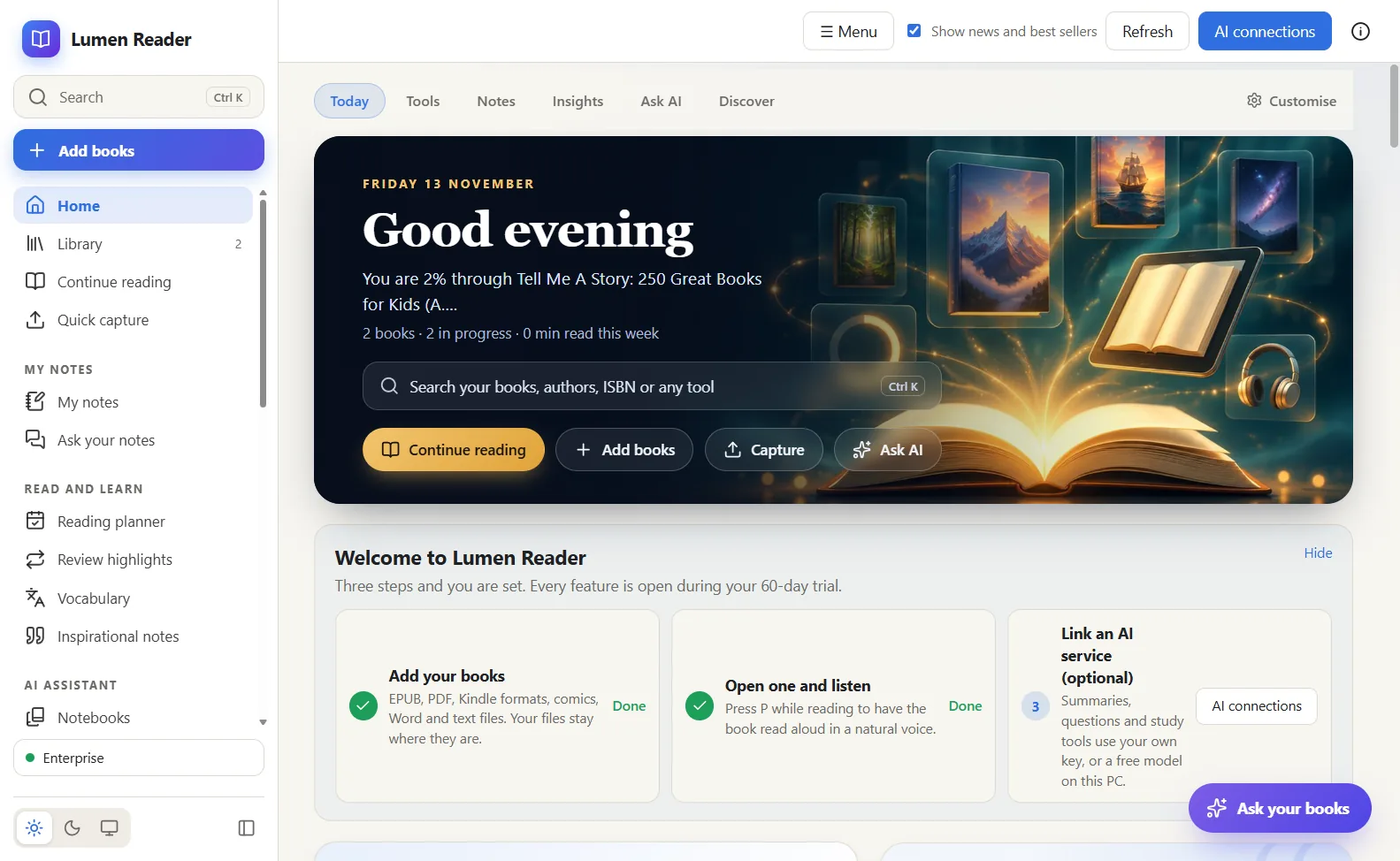
Everything a serious reader needs, in one program
Reads everything you own
EPUB, PDF, Kindle formats (MOBI, AZW, AZW3), FB2 and comics (CBZ, CBR), plus Word, RTF, ODT, text, Markdown and saved web pages. Highlights, notes, bookmarks, a dictionary and themes for day and night.
Listen in a natural voice
Press P and the book is read aloud by a natural voice that runs on your own PC, with speed, voice choice and a sleep timer. No subscription to a voice service is needed.
Notebooks: study many sources at once
Put up to 50 books and documents in one notebook and ask questions. Answers come only from those sources, and every claim has a citation you click to open the place it came from.
Turn reading into study material
From a notebook or a book: audio overview (deep dive, brief, critique or debate), mind map, briefing, study guide, FAQ, timeline, flashcards, quiz and slides.
Your notes, connected
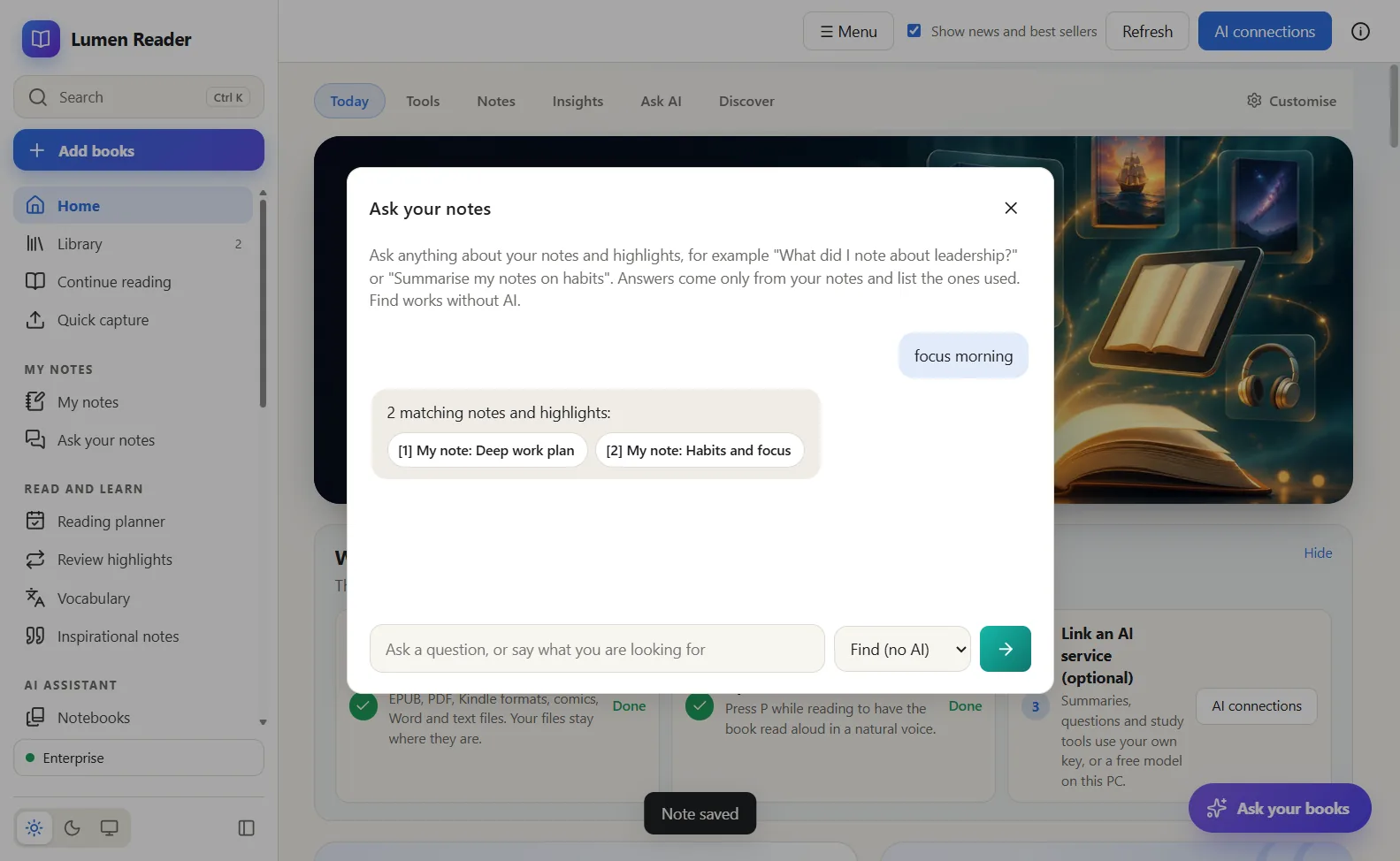
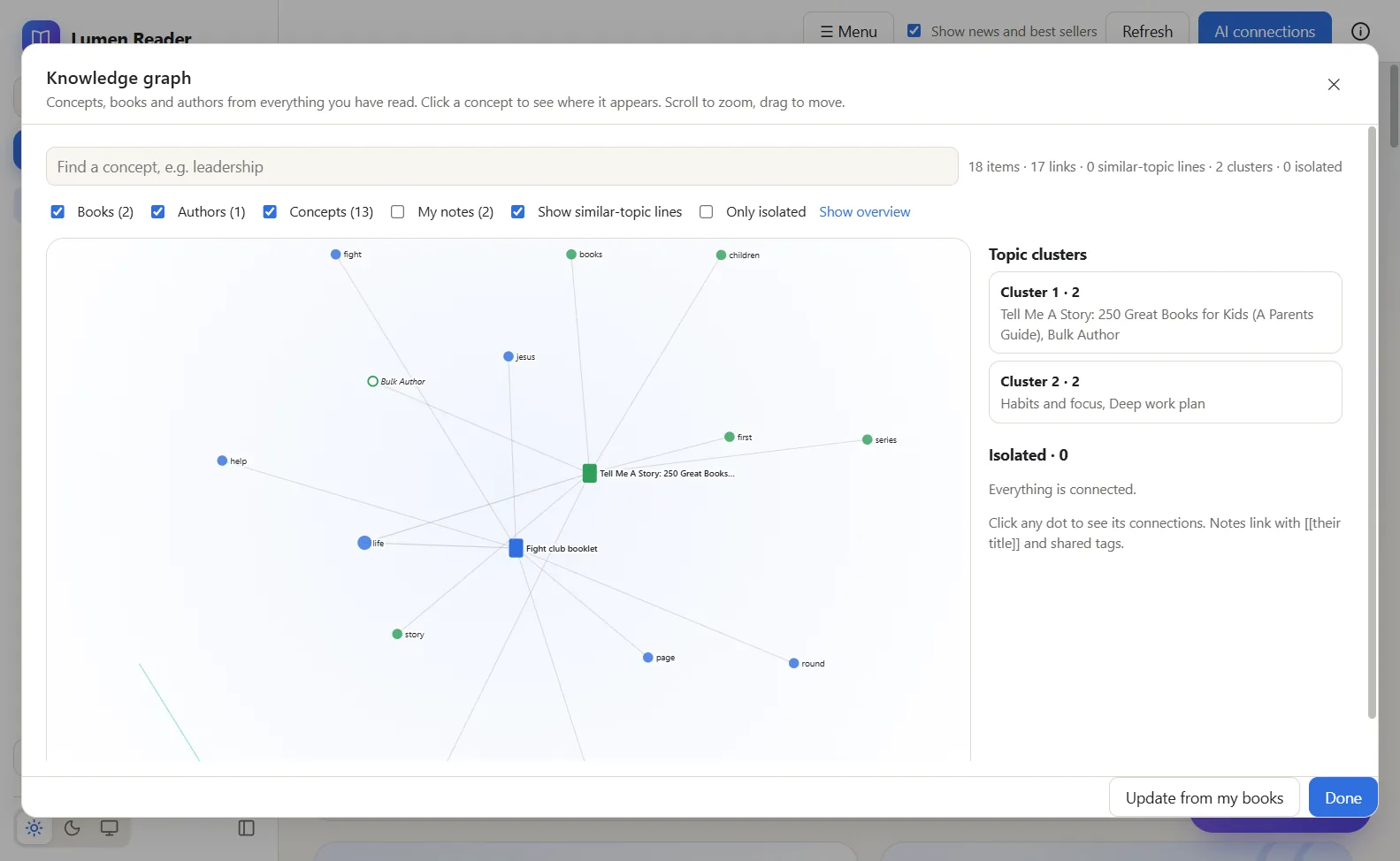
My notes and Ask your notes find what you wrote across every book. The Knowledge graph links books, authors and ideas. Notes sync to Obsidian and export to Markdown or Excel.
A library with real tools
Collections, tags, duplicate finder and backups. A document converter, PDF tools (annotate, fill forms, sign, merge, split, recognise text) and send to Kindle or Kobo.
Real screens from version 2.18.0
Your reading stays yours
- Your books and notes stay on your PC. Lumen has no cloud library and no account.
- AI is optional. Use your own key for Claude, OpenAI, Gemini and others, or a free model on your own PC (Ollama, LM Studio), which works with no internet at all.
- AI keys are stored encrypted by Windows and are never shown back to the page.
- A cloud AI is contacted only when you use an AI feature, and only with your own key.
Not in this version
- YouTube videos or audio files as sources
- Video overviews, or asking questions while an audio overview plays
- Searching the web for new sources
- Cloud sync between computers, and phone apps
- Mac and Linux versions (Windows only today)
We say so here so that you do not find out after downloading.
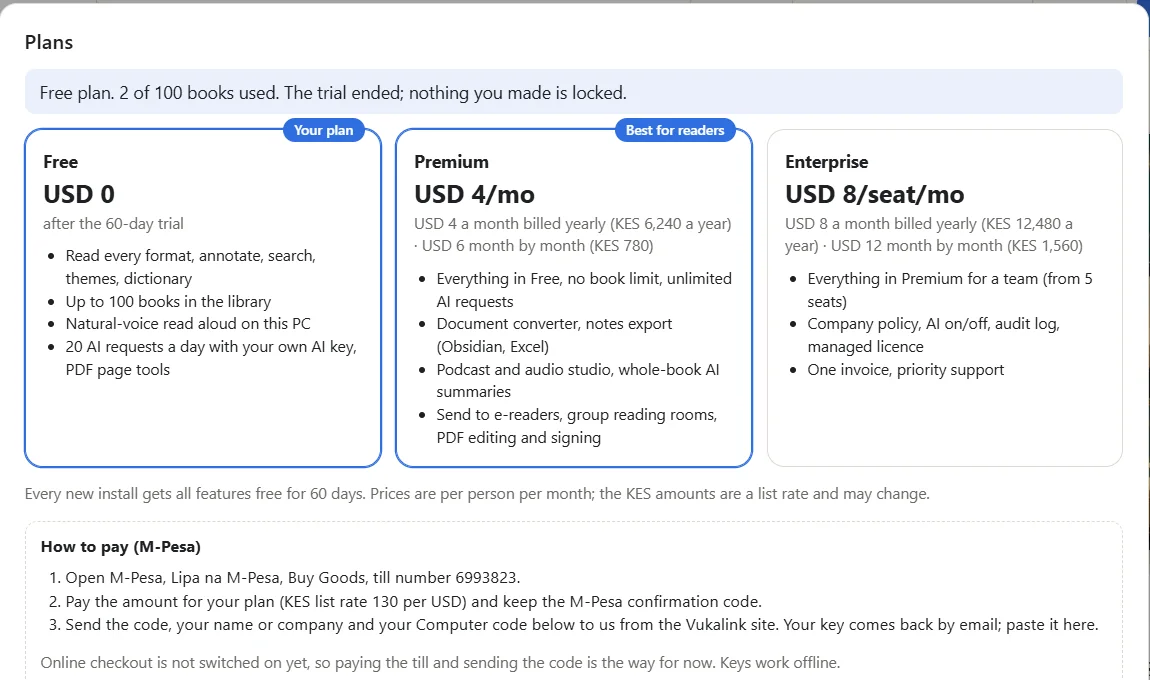
Start free. Pay only if it earns its place.
Free
- Every format, highlights, notes, search, dictionary, themes
- Natural-voice read aloud on your PC
- Up to 100 books in the library
- 20 AI requests a day with your own key or a local model
Premium
- Everything in Free, with no book limit and unlimited AI requests
- Notebooks studio, audio overviews, whole-book summaries
- Document converter, notes export to Obsidian and Excel
- Send to Kindle or Kobo, PDF editing and signing
Enterprise
- Everything in Premium for a team
- Company policy file: AI on or off, audit log
- One managed key for all PCs, one invoice
- Priority support
Prices per person. Shilling prices use a list rate of KES 130 to the dollar, rounded up to the next 10.
Pay by M-Pesa, activate in a minute
- On your phone: M-Pesa, Lipa na M-Pesa, Buy Goods and Services, till 6993823, the amount for your plan.
- Send the M-Pesa confirmation code with your name or company, your email and the plan to support@nyumbasuite.com, or call 0181 662 999. If you want the key tied to one PC, add the Computer code shown in Lumen under Plans.
- Your key, which starts with
LUMEN-, comes by email. In Lumen open Plans, paste it and press Activate key. Keys work offline.
Card payment through Paystack is being switched on. Online ordering for Lumen, like the Vukalink order form, comes next.
Get Lumen Reader
Windows
Windows 10 and 11, 64-bit. About 137 MB. Version 2.18.0.
SHA-256 ca33ab6b696ca331dc742409ab08cb64b60504d2ae39fceb290aacbd37a0ebb3More platforms
- macOSnot yet
- Linuxnot yet
- Phonesnot yet
Today Lumen Reader runs on Windows only.
Before you download
Do my books leave my computer?
No. Books, notes and highlights stay on your PC. Only when you use a cloud AI does the passage you choose go to that provider, under your own key. With a local model nothing leaves the PC.
Do I need an AI subscription?
No. Reading, listening, notes, the library and the tools work without AI. For AI features you can link a key you already have, or install a free local model.
What happens after the 60 days?
Lumen continues as the Free plan: every book stays readable and nothing you made is locked. Only adding more than 100 books and more than 20 AI requests a day need Premium.
Is there a Mac or phone version?
Not yet. Lumen Reader runs on Windows 10 and 11 today.
How do I activate after paying?
Your key, which starts with LUMEN-, comes by email. In Lumen open Plans, paste the key and press Activate key. Keys work offline.
Read more about Lumen Reader
Lumen ReaderMeet Lumen Reader: one place to read, listen and study
Lumen Reader is a Windows reader for books and documents, with a natural voice and AI that answers from your own sources. Here is what it is and who it is for.
Howell Asava · November 2026Lumen ReaderNotebooks: study fifty sources at once, with answers that show their source
A Notebook in Lumen Reader holds up to 50 books and documents. Ask a question and the answer comes only from them, with a citation you can click.
Howell Asava · November 2026Lumen ReaderReading with your ears: a natural voice on your own PC
Lumen Reader reads books and documents aloud in a natural voice that runs on the computer itself. Why that matters, and how to start.
Howell Asava · November 2026Lumen ReaderPrivate by design: your books stay on your PC
Lumen Reader has no cloud library and no account. AI runs on your own key or on a free model on your computer. Here is exactly what goes where.
Howell Asava · November 2026